
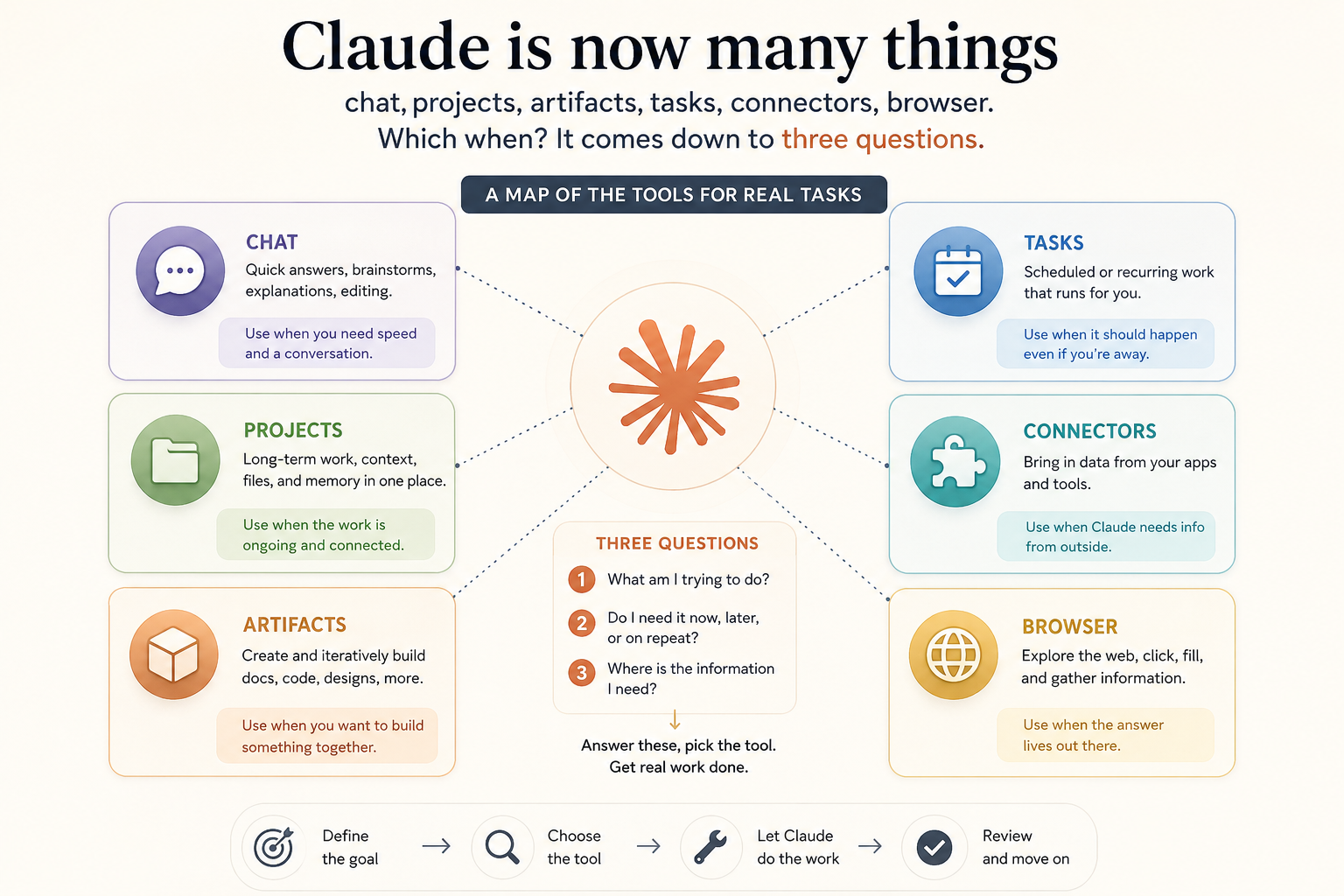
Which Tool When: A Map of Claude for Real Tasks
We've reached a point where Claude isn't one thing anymore. There's plain chat, projects, artifacts, scheduled tasks, email connectors, a browser extension. Each one on its own is simple. The hard part is the new one — knowing which to reach for on a given task. Too many options sometimes paralyzes more than too few.
Luckily the choice collapses to three questions. Is it one-off, or will it repeat? Is general knowledge enough, or does it need to touch your real data — email, calendar, files? And what do you want at the end — an answer, a finished file, or an action? Answer those three, and the tool almost picks itself.
Here's the map:
- A quick question, a draft, an idea, an explanation → plain chat. Don't overcomplicate if this is enough.
- The same topic with a fixed set of files, again and again → a Project. Upload once, ask as much as you like.
- A small working app (tracker, calculator, flashcards) → an Artifact. Turn on "Code execution and file creation" and describe what you want.
- A finished document to download (Word, PowerPoint, Excel, PDF) → the same setting, but ask for the file: "give it to me as…".
- Something that should happen on a schedule (a morning brief, a weekly review) → a scheduled task in Cowork.
- Writing always in your voice → a custom style, set once.
- Acting on your real email and calendar (read, draft a reply, find a time) → the Gmail and Google Calendar connectors.
- Clicking and gathering across sites (compare offers, fill a form) → Claude in Chrome.
An example of how the three questions route you. "I want a short summary every Sunday evening of what's coming next week." It repeats — so not plain chat, but a scheduled task. It needs my real data — so a calendar connector. I want an answer, not a file. The assembly falls out on its own: a scheduled task in Cowork that reads the calendar through the connector and writes me the summary. None of the pieces is new on its own; what's new is arranging them.
What you actually learn here isn't a new tool, it's choosing. And the choice almost always leans on the same rule: reach for the smallest thing that does the job, not the most impressive. Plain chat before a project, a project before automation, a draft before an action. Power you don't need is just one more thing that can go wrong.
The skill is no longer using a tool, it's choosing one. And the choice comes down to three questions: one-off or again, general knowledge or your data, an answer or an action.
Comments (0)