
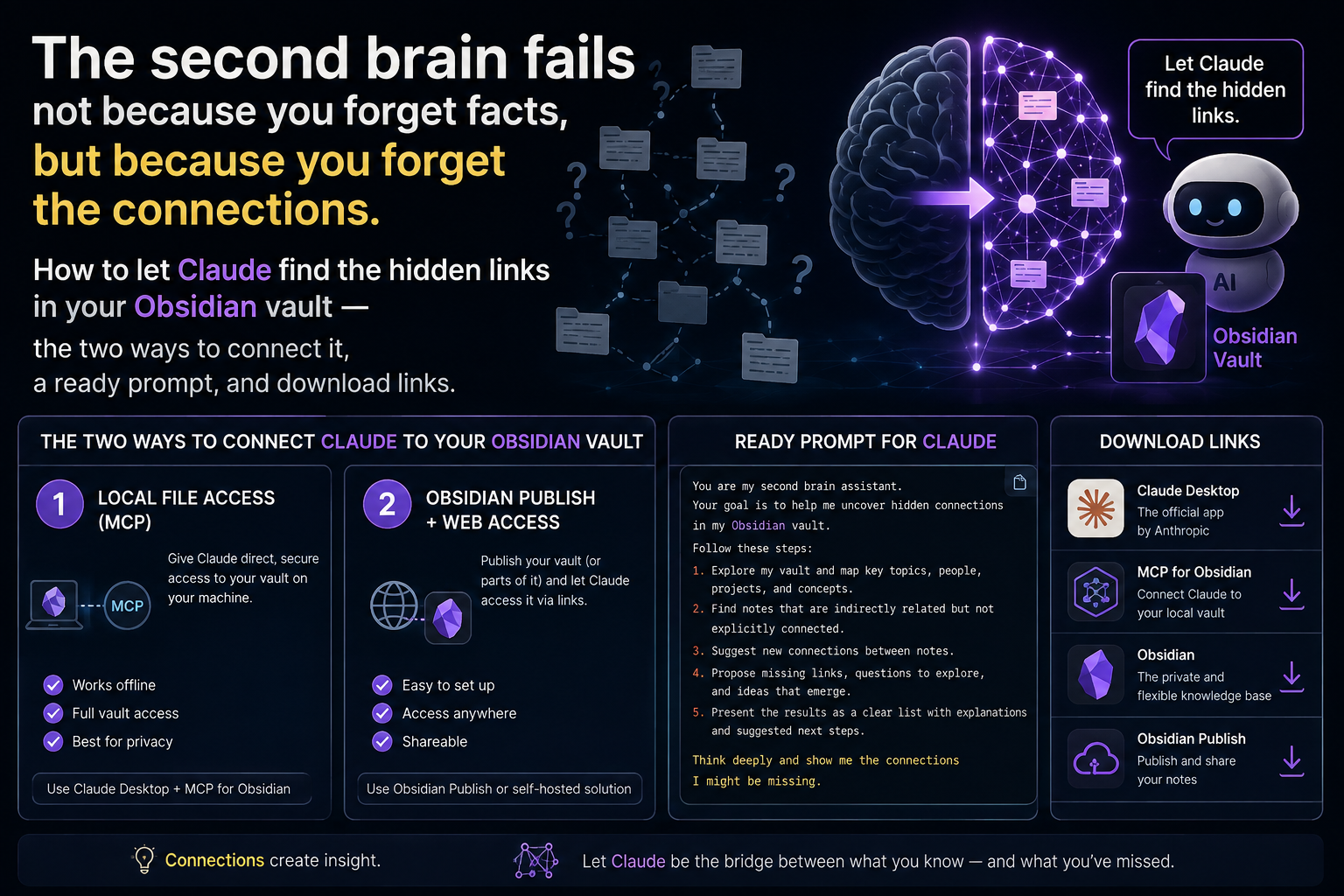
Connect Your Scattered Notes: Find What You Already Knew (Obsidian + Claude)
The promise of the "second brain" is beautiful: capture everything, and it works for you later. The reality for most people is a vault of hundreds of notes no one ever returns to. And the loss isn't where we think. It's not that you forgot a fact — facts are searchable. The loss is that you forgot the connection: that something you're writing today, you already thought half a year ago in another note, and the two never met.
The reason is simple and human. We capture notes as islands — one thought, one file, done. And making links between them is manual, tedious, and requires remembering what you've already written. So the pile grows, but the graph doesn't. The vault fills up with material and goes poorer in meaning, because meaning in a knowledge base isn't in the notes, it's in the edges between them — and the edges are exactly what we're too lazy or too forgetful to draw.
The good part is that Obsidian notes are just markdown files in a folder — which means Claude can read them. There are two practical ways. If there are a handful or a few dozen, upload them into a Project on claude.ai (drag & drop, .md is supported) and ask there. If the vault is large and you work in it constantly, use the Claude desktop app (Cowork) pointed at the vault folder, so it reads the files themselves. For the tools: Obsidian downloads from obsidian.md, and the Claude app from claude.ai/download.
The task isn't "summarize my notes," it's "find the connections I can't see." Here's a prompt to copy:
Here are notes from my Obsidian vault. Read them and find the
connections I wouldn't spot myself: recurring themes across
different notes, ideas that complement or contradict each other,
and pairs of notes that should reference each other. For each
connection, say which two notes and why. Don't invent connections
to fill space — better a few real ones. If you suggest links,
format them as [[note name]] so I can paste them into Obsidian.
Notice the last line. Obsidian links notes with the [[name]] syntax; by asking Claude to return the connections in exactly that form, its suggestion becomes paste-ready — not just advice, but a one-click action. So the conversation doesn't end with "huh, interesting," but with real edges added to your graph.
And the honest part. Claude finds patterns — and patterns are sometimes coincidence, not a real link. Review the suggestions and keep only the ones that truly hold; one false edge pollutes the graph more than a missing one helps. And don't let it restructure the whole vault — the vault is your way of thinking, not its. It proposes edges; you decide which are real. The tool is a pair of eyes over your archive, not its owner.
Because a knowledge base was never a pile — it's a graph. The value always sat in the edges: which idea holds another, what contradicts what, what you thought back then that explains this now. The edges are the hard part, because they require holding your whole archive in mind at once — and that's precisely the thing a human can't and a model can. You write the nodes; it helps you see the lines you were too human to draw.
(If you'd rather run this on a real vault of your own, with a person beside you, there's also a free practical session.)
A knowledge base isn't a pile, it's a graph — and the value was always in the edges. You write the nodes; let the tool show you the lines you were too human to see.
Comments (0)