
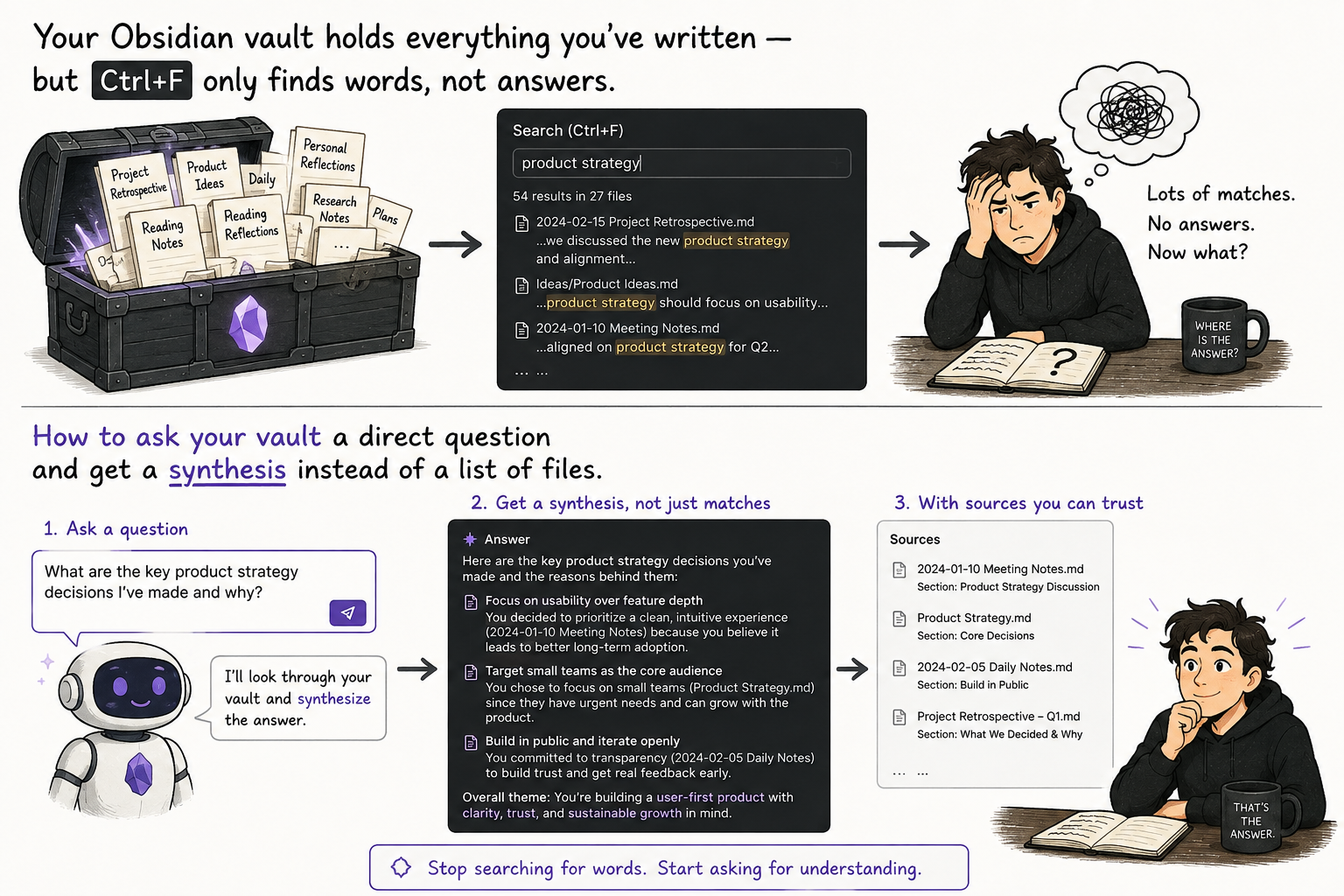
Ask Your Vault: From Keyword Search to Real Answers
There's a specific frustration anyone who has kept a notes vault for more than a year knows well: you're certain you wrote about this. You even remember roughly when — last spring, around that project. But you don't remember the note's title, or the exact word you used back then. You search one keyword, then another, open three wrong files — and eventually give up, or stumble on it by accident fifteen minutes later.
The problem isn't your memory. The problem is that Ctrl+F in Obsidian searches for words, while you're searching for meaning. This is an old distinction from the backend world — literal grep versus semantic search — and it turns out the same distinction applies to your own head. Psychology has a name for it: recognition is easier than free recall. It's easier to know the right answer when you see it than to dig it up from scratch. Classic full-text search demands recall from you — guessing the exact word. Asking a question demands recognition — spotting the right answer once Claude shows it to you.
In practice, the difference looks like this: instead of hunting for a file, you ask the whole vault a question at once, and get back a synthesized answer built from several notes — with a source cited for each claim.
Technically there are two simple routes, depending on vault size. If it's a few hundred notes or fewer, upload the folder (or the relevant part of it) to a Project on claude.ai — drag and drop, .md files are read directly, then just ask in the project's chat. If the vault is large and you live in it daily, Claude's desktop app (Cowork), pointed at the folder, reads the files in place without uploading anything — more convenient for something you'll do every other day, not once.
Here's a copy-ready prompt that works either way:
Read the notes in my vault and answer the following question
based only on what I've actually written: [your question here].

Rules:
- If the answer spans several notes, synthesize them into one
  short explanation — don't just list them.
- For every claim, cite which note it came from (by title).
- If something is missing or unclear in the notes, say so
  explicitly — don't fill gaps with general knowledge that isn't mine.
- If you find a contradiction between two notes from different
  times, point it out — my opinion probably changed.
That last rule might be the most important one. A vault kept for years contains versions of yourself from different moments — and when two notes contradict each other, that isn't an error to fix, it's data worth tracking. Claude has no way of knowing which opinion is "more correct" — it just surfaces the mismatch, and you decide which one holds today.
The honest part: this isn't magic, and it has real limits. If the note you're looking for was never written, Claude won't invent it — but it might sound confident while answering from general knowledge instead, unless you explicitly forbid that (hence the rule above). With a very large vault (thousands of notes), some methods truncate context and only see part of the files at once — the result is only as complete as the context window allows, not automatically "the whole vault." And as with any model-assisted search: verify the claims before fully trusting them, especially if the decision you're making on top of them actually matters.
The difference from the earlier Obsidian piece is worth naming. That one was about finding connections between notes — a graph, edges, things you hadn't thought to link. This one is different: you have a specific question, you know the answer is in there somewhere, you just don't want to dig for it by hand. One surprises you; the other saves you time.
(If you'd like to try this on your own real vault with someone alongside you, there's also a free practical session.)
A vault isn't a database you search — it's a memory you should be able to ask. The difference between the two is the difference between grep and a conversation.
Comments (0)